PJG Grading List for Windows
Batch-scan cards, let AI fill in every one, keep unlimited stock for free — then pick which cards sell on the PJG marketplace or eBay, all from one app.
65cf69fff46859828f21a71855c95d6afaffc425ded39d99eb3e3b3d855c1a26📦 Organized card inventory
Free to useDownload and manage your card stock for free with no card limit — your data lives on your own machine and stays fast even at hundreds of thousands of cards. List to the web whenever you want, within your membership quota.
- Record unlimited cards — built for six-figure inventories
- Automatic two-sided scanning (ADF scanners supported)
- AI fills in every card — name, set, year, number, no typing
- Box & location SKUs, so you always know where a card is
- Choose per card whether it sells on PJG or eBay (eBay within your quota)
- Know what sold — stock is deducted automatically
- Full sales history you can look back through anytime
- Print shipping cover sheets straight from the app
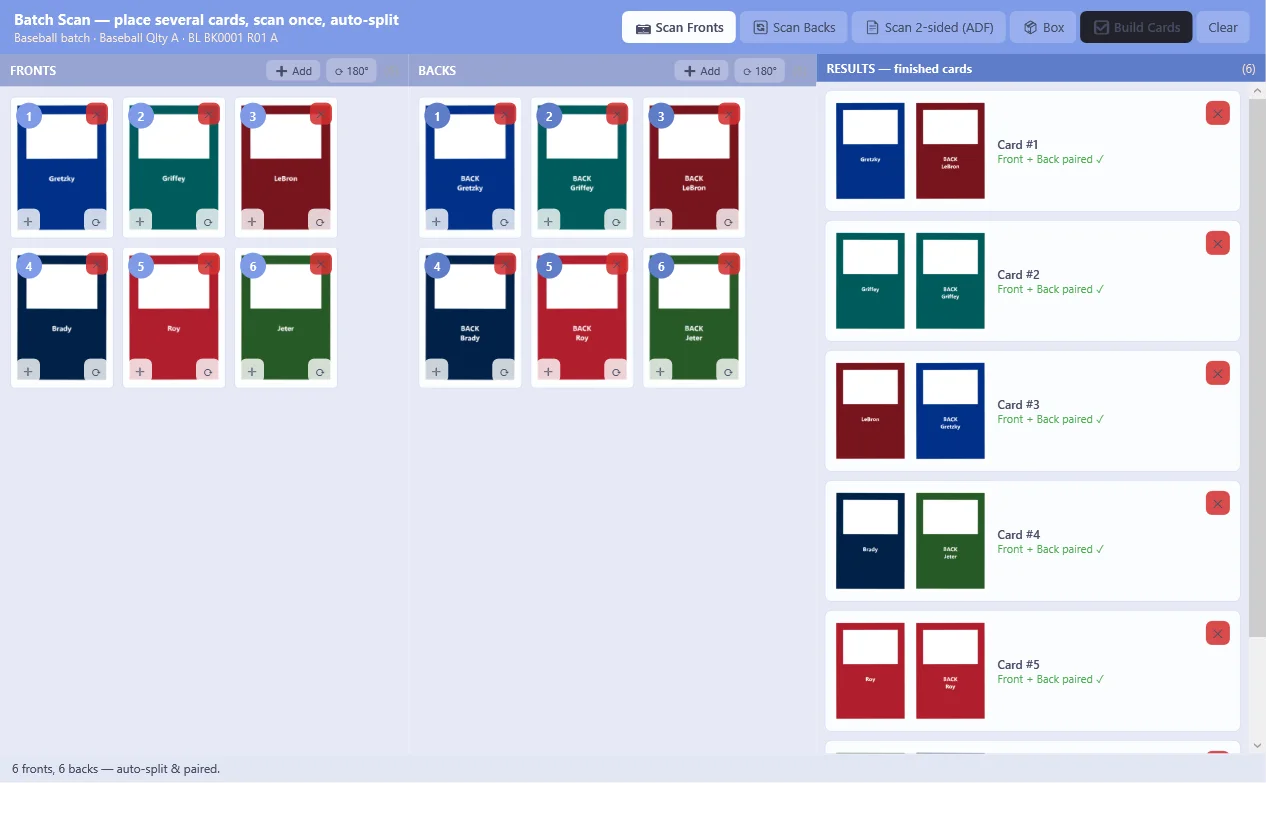
Scan a whole bed of cards in one pass
Fill the scanner bed, press scan once — the app finds, splits and crops every card automatically, even a white-bordered card on a white scanner bed.
- 9+ cards per scan — auto-split & auto-crop, with a corner editor for fine-tuning
- Two-sided scanning (duplex/ADF) — fronts and backs in one run, paired per card automatically
- Works with standard TWAIN scanners — popular flatbeds (e.g. Epson Perfection, Canon CanoScan LiDE) and TWAIN-driver ADFs (e.g. Epson WorkForce/FastFoto, Brother ADS)
- No scanner? Import image files or photos instead
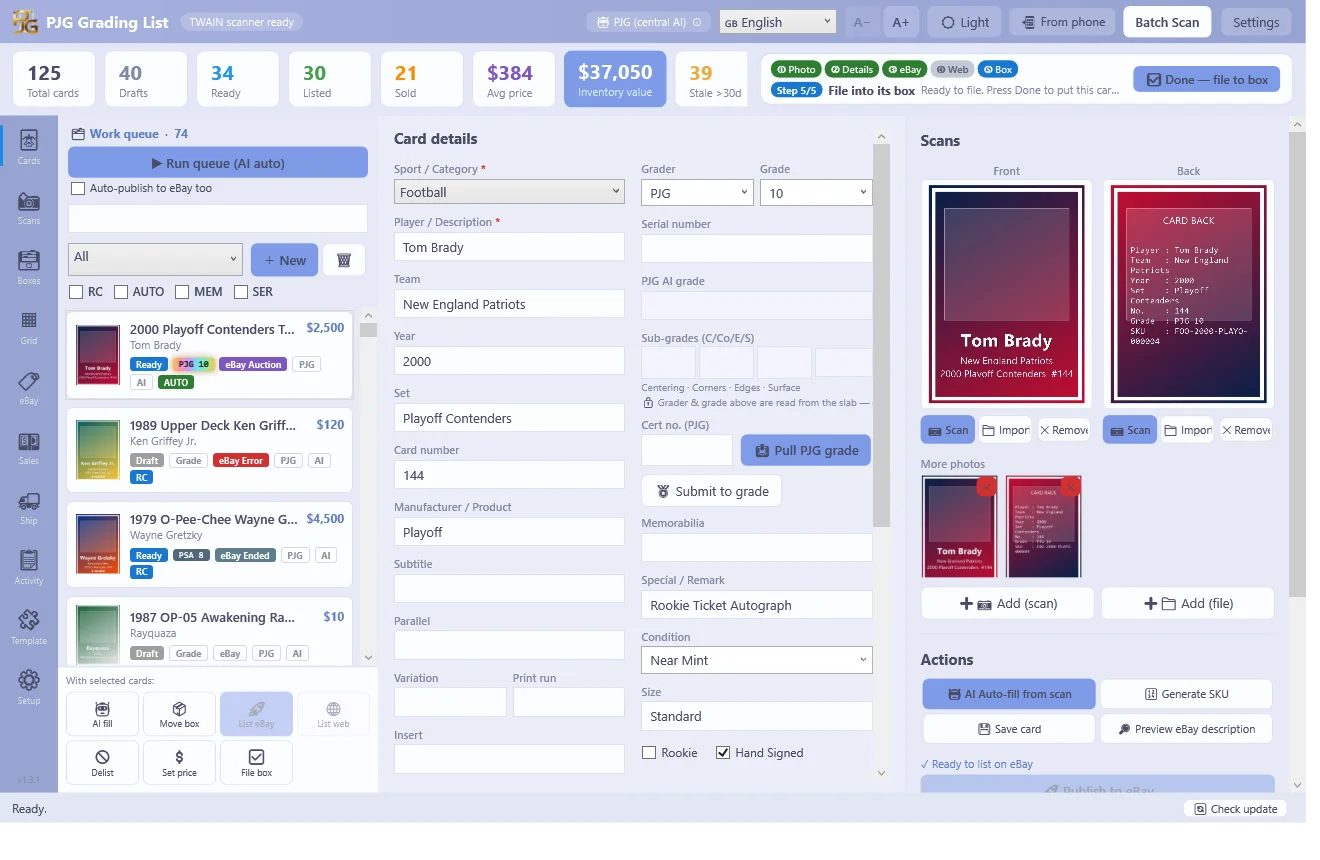
AI fills in the card details for you
One PJG login unlocks central AI — no API keys to hunt down. It reads your scan, fills in the details and estimates a price range for every card.
- Auto-fills player / year / set / card number / parallel / condition from the scan
- Price-range estimates plus suggestions backed by real PJG marketplace sales
- Run one card or a whole queue — retry only the ones that missed
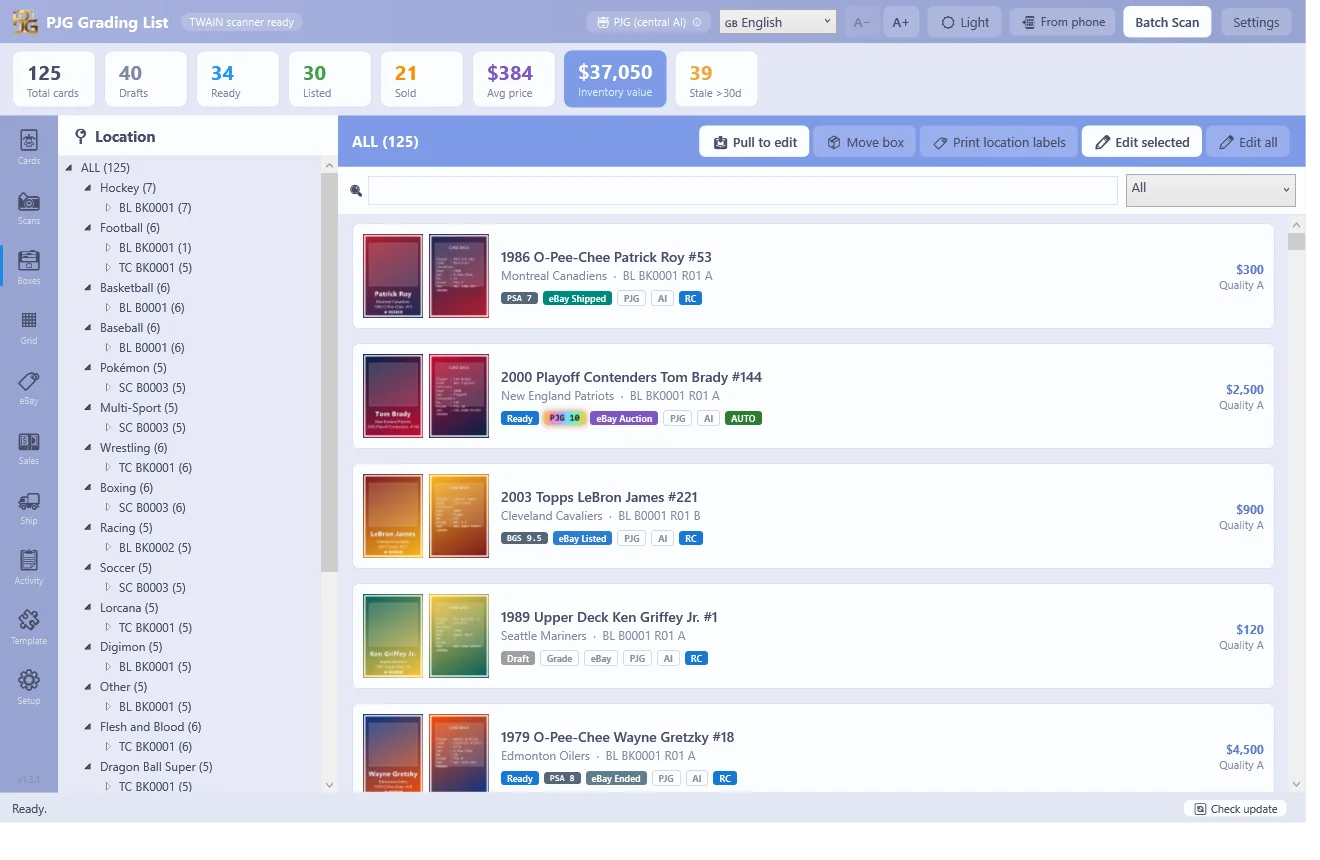
A storage system built for 10,000+ cards
Boxes → rows → slots, with the location baked into each card's SKU. Any card is back in your hand in seconds — and the app stays smooth past 10,000 cards.
- Box–row–slot locations with printable location labels
- Search by player, set, box or SKU and jump straight to the card
- Snappy at 10,000+ cards — built for real dealer volume
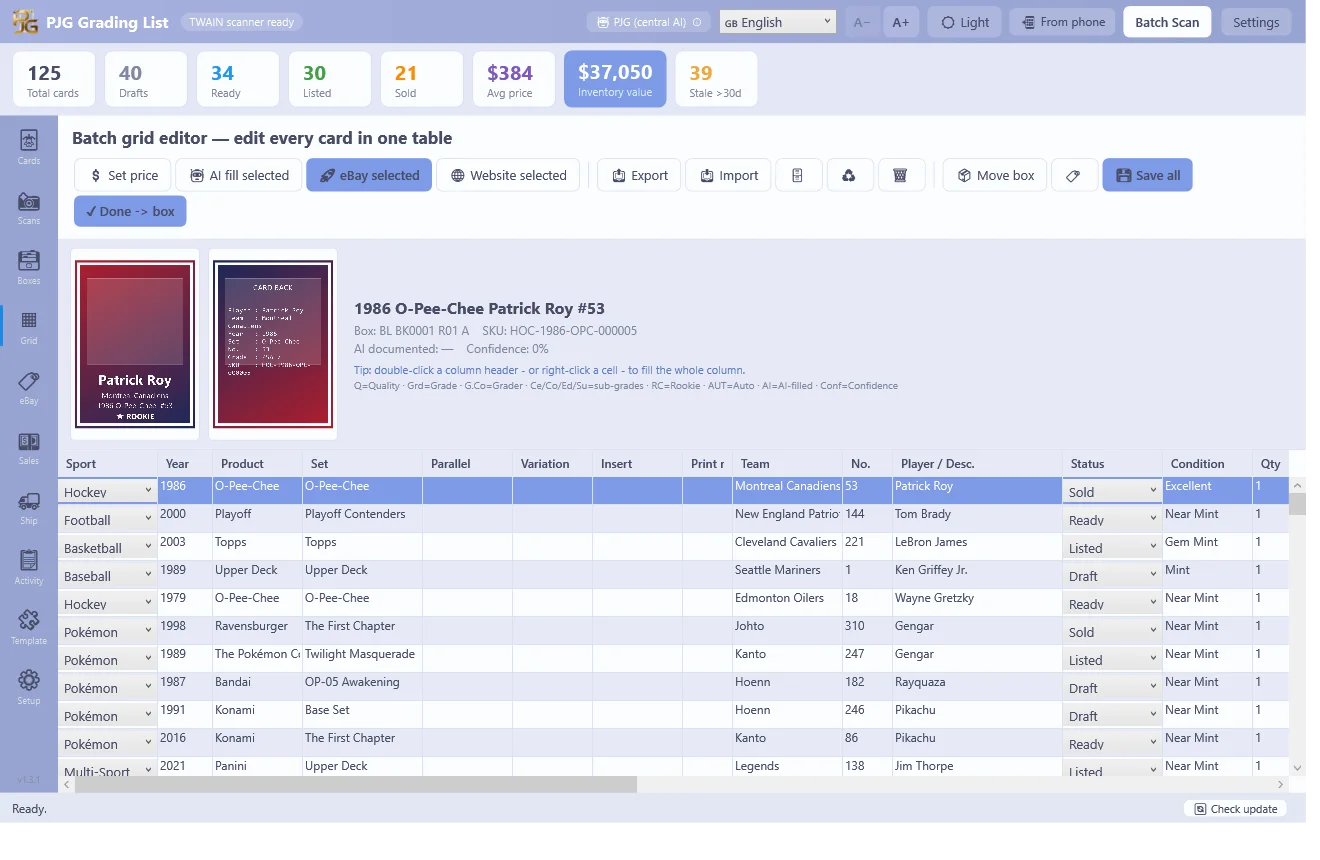
Sell on two channels without overselling
Publish to the PJG marketplace and your eBay store in one click. A two-way oversell guard takes a card down on one channel the moment it sells on the other.
- Bulk-edit hundreds of cards in a spreadsheet-style grid, then bulk-publish
- Two-way oversell guard — including cards locked in a live PJG auction
- Answer PJG offers and buyer messages right inside the app
And the tools around it
Install in 4 steps
System requirements
- Windows 10 or 11, 64-bit
- Self-contained — no .NET or other runtime to install
- Flatbed scanner optional (TWAIN) — photo import works without one
- Internet connection for AI, eBay and marketplace features
Free app, plan-based quotas
The app is free, with unlimited scanning and cataloguing. AI auto-fill and listing quotas follow your PJG membership plan — the same account you use on the website.
Compare plans →